article
The Tools I Actually Use to Get Work Done in 2026
I have access to more software, hardware and AI tools than I could ever use. These are the ones that have actually earned a place in the way I build websites, manage marketing and create content in 2026.

I have a ridiculous number of tools available to me.
That is not the same thing as having a ridiculous number of tools I actually need.
Over the last few years, and especially in 2026, the number of apps promising to make work faster has exploded. AI added another entire category. Website platforms keep evolving. Creative software overlaps more than ever. Every service wants to become the place where you do everything.
I have tried plenty of them.
The tools that stick are usually not the ones with the longest feature list. They are the ones that remove friction from work I was already trying to do.
This is not a definitive “best tools” list. It is the much more useful version for me: what I actually reach for when I need to get something done.
ChatGPT Is the Tool I Use Across the Most Different Kinds of Work
If there is one tool that touches the most parts of my day, it is ChatGPT.
I use it for research, troubleshooting, development, outlining, writing, analysis, organization and the kind of back-and-forth problem solving that used to require bouncing between a dozen tabs and several different specialties.
The most useful part is not having it write something from a blank prompt.
It is being able to give it context about a real project and keep working through the problem. That might mean diagnosing why a website is behaving strangely, comparing two technical approaches, turning a rough idea into a build plan, reviewing a marketing concept or helping me make sense of a large amount of information.
I wrote more about the bigger lesson in what I have learned using AI to build websites, content and marketing systems.
AI is most valuable to me when it expands what I can realistically work on, not when it pretends I do not need to understand the work.
WordPress Is Still Part of the Toolkit
I have been building WordPress sites for more than 15 years, so I am not going to pretend it suddenly stopped being useful because newer tools exist.
WordPress is still incredibly practical when the project fits what it does well.
It is mature, flexible and familiar. There are projects where I can move faster in WordPress because I already understand the ecosystem, the SEO considerations, the content structure and the hundred small decisions that show up between “install WordPress” and “launch a good website.”
The difference now is that I no longer assume every website should be WordPress.
That is a much healthier place to be.
Framer Has Become Useful When Speed and Polish Matter
Framer is one of the newer tools in my regular mix.
I like it when I want a highly visual marketing site, landing page or brand experience that can be assembled and refined quickly without turning every design decision into a development project.
It is not the answer to every content-heavy site I build, but that is the point of having different tools.
The question is not “Which platform wins?”
The question is “What makes sense for this specific thing?”
That mindset is also a big reason I have become more opinionated about having a website you actually own instead of relying only on social media.
GitHub and Supabase Changed the Kinds of Things I Can Build
This is where my toolkit has expanded the most.
GitHub has become the source of truth for more of the custom work I am doing. It gives me history, structure and a much safer way to make changes than treating production files like a place to experiment.
Supabase gives me a practical database and application backend without requiring me to become a full-time infrastructure engineer just to move an idea forward.
The combination has opened the door to projects that are much closer to applications than traditional marketing websites.
That is a big change for me.
For years I could take a WordPress project from idea to launch. Now I can also work much more directly with custom databases, APIs, publishing systems and the software behind the websites I am building.
AI is part of what made that jump practical, but the underlying tools are what make the work durable.
Hostinger and Cloudflare Handle Different Parts of the Infrastructure
Hosting is one of those subjects I rarely think about when everything is working and think about constantly when it is not.
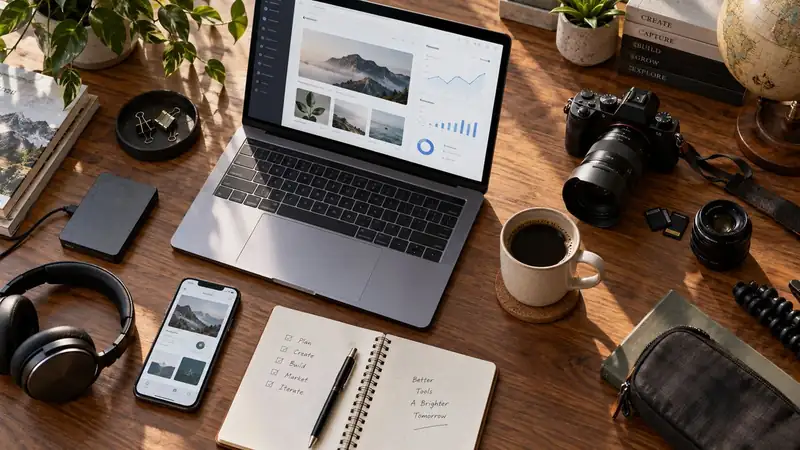
Hostinger has been useful across several of my website projects because I can manage traditional hosting and newer deployments without making the hosting layer the main project.
Cloudflare has become increasingly important around DNS, security, performance and asset delivery.
I do not want to spend all day thinking about infrastructure. I want the infrastructure to make the sites more reliable and then get out of the way.
Those two services fill different roles in that process.
Apify, MailerLite and the Specialized Tools Fill Specific Gaps
Some tools survive because they solve one problem well enough that I do not need them to become anything else.
Apify is useful when I need structured web data or repeatable collection workflows.
MailerLite handles newsletters and subscriber management without forcing me to build an email platform.
There are other small services that come and go depending on the project, but this is the category where I try hardest not to overcomplicate things.
A specialized tool should earn its place by saving time or making a workflow more reliable.
If it creates another dashboard I have to manage without solving a meaningful problem, I probably do not need it.
Adobe and Kittl Still Matter Because the Final Work Has to Look Good
AI has made visual experimentation faster, but I still care a lot about the final presentation.
Adobe remains part of my photography, video and design workflow because there are times when I need control over the actual asset instead of another generated variation.
Kittl has become especially useful for merchandise and graphic design concepts. It is fast for exploring a visual direction and practical when the end result needs to work on a shirt, product or other physical design.
The tool is not the design taste.
It just makes it easier to try enough ideas to find the one worth finishing.
Hardware Matters When It Removes Friction
The software gets most of the attention, but I am still a hardware person.
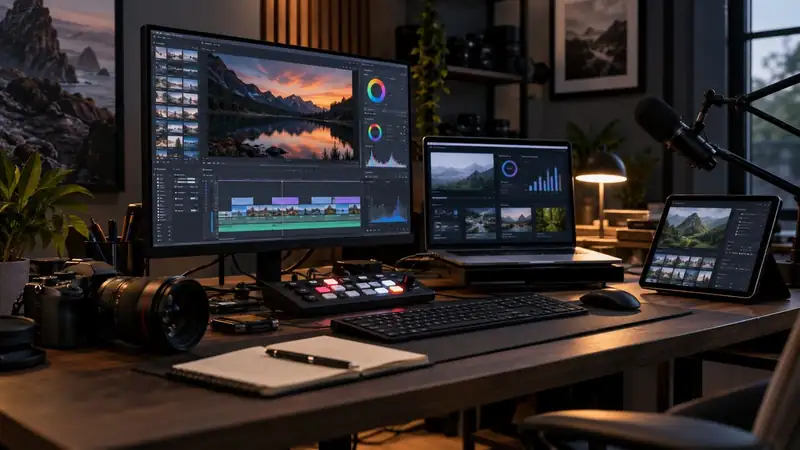
My main workstation is a Mac Studio, and I have other Macs that get used for different jobs, testing and longer-running tasks. I use cameras because photography and video are still a major part of how I create. OBS and an ATEM-style production workflow become useful when I am recording, streaming or managing multiple video sources.
I am not interested in owning equipment simply because it is new.
The gear I keep is the gear that helps me move from idea to finished work with fewer compromises.
That is the same standard I use for software.
I Am Trying to Collect Fewer Tools, Not More
This may be the most important part of the list.
I do not need another app because it has a clever demo.
I need a tool when it fits into a real workflow and makes the result better, faster or more reliable.
That means I am increasingly willing to stop using things.
If two tools do the same job, one of them probably does not need to stay. If I am paying for something and have to remind myself what I use it for, that is a bad sign. If a tool requires more organization than the work it is supposed to organize, it has missed the point.
The best setup is not the one with the most software.
It is the one where I spend the least time thinking about the tools and the most time finishing the work.
The goal is to get the work done. And right now, these are the tools helping me do it.